
How to do vibe coding right: the rules behind projects that reach production
Doing vibe coding right isn't a chat habit, it's a discipline. Narrow the scope, ask for one step, test it, commit it: most of the projects we take over skipped this loop.
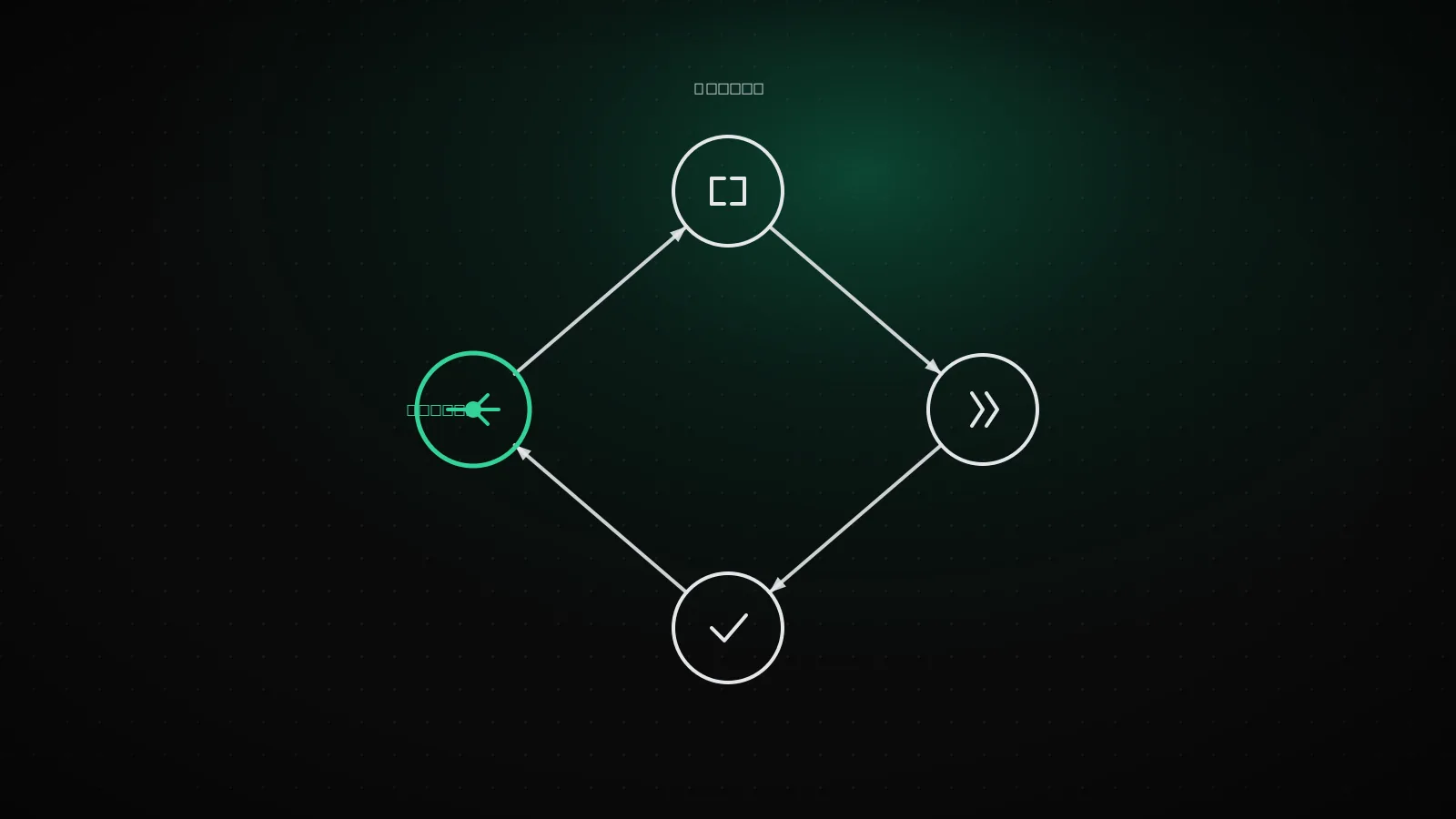
Doing vibe coding right isn't chatting your way to working code. It's defining a narrow task, asking the model for one small step, testing that step, then committing. Skip the narrow scope and ask for a big feature in one shot, and the model spreads thin: what works and what doesn't gets tangled together. This piece covers the practical rules that separate projects that reach production from the ones that don't.
TL;DR
Narrow scope, small step, test after every step, commit after every step that works. AI has four blind spots: auth, data access, keys, payments. Don't leave those to the model, test them yourself. Most of the projects we take over skipped this loop for "ask for everything at once."
A generic "write better prompts" tip doesn't know your setup. This piece gives you a sequence that works regardless of which tool you're running: how to narrow scope, how to shrink a step, why skipping commits costs you later, and the four things you never leave to the model.
Vibe coding in two sentences
Vibe coding means describing what you want in plain language to an AI tool (Cursor, Claude Code, Lovable, Bolt, v0, Replit) and letting it write the code. The term spread in 2025, but the practice is older: the difference now is the model deciding file and folder structure, not just individual lines.
Why skipping scope makes everything fall apart
Start with "build an e-commerce site, cart, checkout, admin panel" and the model makes too many decisions at once. Which table carries which field, which page connects to which route, where each piece of state lives: all decided in one pass. Some of those calls land right, some don't. The problem: you don't know which step got the wrong call, because they all arrived together.
The rule for moving step by step: ask small, test immediately
The rule is simple: one behavior changes per pass. "Adding to cart works" is one step, "removing from cart works" is a separate one. After every step, actually try that behavior: click through it, or run the command. If it works, move on. If it doesn't, tell the model exactly which step broke and how, and don't move to the next one.
The disciplined loop
If step 3 fails, go back to 2 and describe the failure before you touch anything else. Don't reach step 5 without a commit.
Why committing after every step is not optional
A commit isn't just a backup. It's the record of which step actually worked. Commit once per step, and when something breaks, you see exactly which change caused it. No second-guessing. One pull request per feature is the same discipline, one layer up.
Measured
Command: git log --oneline -15, on lumiasoft.com's own repo
Every one of the last 15 commits carries exactly one thing: one guide, one tool, one nav fix. None of them read "general update" or "misc fixes." We ship this site itself under the same rule, one step at a time.
AI's blind spots: where a human has to step in
The model is good at producing an interface that does what you asked. What it doesn't reliably separate is which checks belong on the server instead of the interface, since both look identical to a user. Four points come up again and again:
Auth
Checked in the interface, not on the API request
Data access
No RLS policy, every row visible to everyone
Keys
A secret key ends up in the code shipped to the browser
Payments
A webhook accepts requests without verifying the signature
Telling the model to "make it secure" doesn't close any of these. Each one needs its own test. The full list for verifying all four by hand lives in our security checklist.
The recurring failure points in the projects we take over
Most of our AI project completion work is fixing projects that never had their scope narrowed. The Replit incident where the agent deleted a production database started with an irreversible command running without an approval gate. One step carried too much authority. Most of what we find exposed in Lovable and Bolt-built apps traces back to the same root: the interface works, the server side was never checked.
The common thread: every one of them looked fine in the demo. The break showed up the moment a real user did the first unexpected thing.
Ready for the security check before you ship
If you ran the loop above, committed step by step, and tested the blind spots separately, the last step before launch is our AI app launch-readiness check. It scans the same four categories in 11 questions and ranks findings by severity.
When this is enough on its own, and when it isn't
These rules are enough for a learning project, an internal tool, or a low-risk MVP. If there's a payment flow, real user data, or a legal obligation involved, at least one item on the blind-spot list won't close on its own. At that point the need isn't more prompting, it's someone who can read the code and take it over.
If the critical items won't close on their own, our AI project completion service picks up exactly there: code review, closing the gaps, moving onto production infrastructure.
Frequently asked questions
Is vibe coding safe for production apps?
Yes, if you stay disciplined and test the blind spots by hand. No, if you ask for large scope in one shot: you lose control of it.
Which tools make disciplined work easier?
Tools that ask for approval step by step and show file-level diffs (Claude Code, Cursor) keep the process visible. Tools that generate a whole project in one pass leave the discipline entirely up to you.
Do you really need to commit after every step?
Yes. Skip commits and you have to read back through the whole session to find what broke.
How do I test the blind spots myself?
Our security checklist has the exact command and expected result for each one.
Is it normal to start with vibe coding and hand off later?
Yes, most projects go this way. Speed matters in the demo phase, durability matters in production. Those are two different jobs.