
What Lovable and Bolt apps leave exposed
The five security gaps that show up again and again in apps built with Lovable, Bolt, and v0, and how to test your own project for each one in 15 minutes.
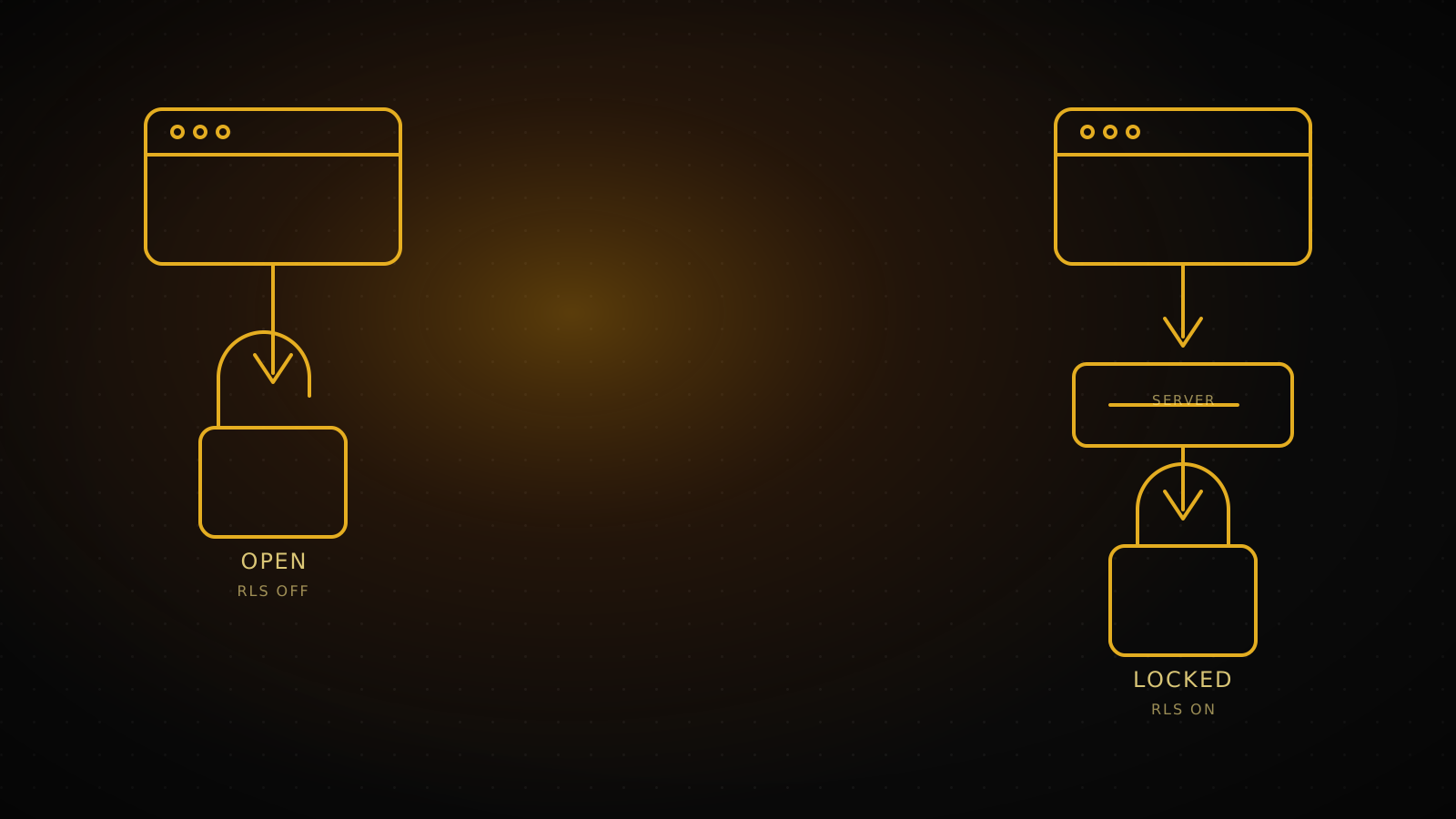
An app built with Lovable or Bolt runs perfectly in the demo. Then real users show up, and the gaps underneath start opening. They are not random. The same five points stay open, in the same order, in nearly every project. Here is why each one happens, how you spot it, and how you close it.
Summary
An LLM optimizes for a working demo, not a secure system, so it leaves security layers off by default. The five most common gaps: RLS disabled on a table, a service role key leaked to the client, a public storage bucket, authorization checked only in the UI, and a payment webhook with no signature check. The self-audit section below shows exactly how to test your own project for all five in 15 minutes.
pg_tables.rowsecurity = falserole: service_role inside a shipped JS fileStripe-Signature headerWhy the same five gaps, every time
The model behind Lovable, Bolt, and v0 is solving one job: produce something that works on screen. The login form should work. The list should populate. The checkout page should render. The shortest path to that usually skips the security layer. Adding an RLS policy is one more step; putting the service role key straight into the client is one step fewer. The model takes the shorter path, and you see a working demo in three minutes.
None of these shortcuts close themselves when you ship. The moment the prototype deploys, the same gap that was fine in a demo is open to the entire internet.
Demo (the default output)
RLS off, every row readable
Production
service role key stays here
each user sees only their own rows
Table with RLS disabled: everyone reads everyone's row
In Supabase and other Postgres-backed setups, a table in the public schema is exposed through PostgREST automatically. With Row Level Security disabled, any role with a grant on that table can read and write every row. With RLS enabled and no policy written, the opposite happens: no row is visible through the API until a policy allows it. Enabling RLS is the safe default, not the restrictive one.
Supabase's own Security Advisor catches this automatically. The 0013_rls_disabled_in_public lint flags every table in the public schema without RLS as an ERROR-level finding, visible under Database → Security Advisor in the dashboard.
alter table public.your_table enable row level security;

create policy "users_read_own_row"
on public.your_table for select
to authenticated
using (auth.uid() = user_id);
Enable RLS table by table, then write the policy that matches your actual access rules. A policy-free RLS table hides everything; a wrong policy leaves it open again. Test both.
The service role key that leaks into the client
Supabase issues two keys: anon and service_role. The anon key respects RLS policies, so it is safe to ship to a browser. The service role key carries Postgres's BYPASSRLS attribute and skips every RLS policy. The official docs are direct about this: never add the secret key to a web page, public source code, or a bundled mobile, desktop, or CLI app.
That line gets crossed easily inside a Lovable or Bolt build. The model is optimizing for "the connection works," not for which key belongs on which side. The service role key ends up behind a NEXT_PUBLIC_ prefix, or directly inside a client component, sitting as plain text inside the compiled JS file that ships to every visitor.
Fixing it means moving the key into server-only code: an API route, an edge function, a cron job. Moving it is not enough once it has already leaked. Rotate the key in the dashboard. The old one stays valid, and exploitable, until you do.
The storage bucket anyone can list
By default, Supabase Storage does not allow uploads to a bucket with no RLS policy. It opens up in two ways instead: the bucket gets marked public, or a broad policy grants SELECT on storage.objects to everyone. Both are fast fixes for "the file should show up right away" in a demo.
The risk is concrete. IDs, invoices, and profile photos that users upload become reachable from a guessable URL, not just a known one.
create policy "owner_reads_own_files"
on storage.objects for select
to authenticated
using (bucket_id = 'uploads' and (storage.foldername(name))[1] = auth.uid()::text);
Make the bucket private, structure folders by user id, and write the policy against that structure.
Hidden in the UI, wide open on the server
The classic version: an admin button is hidden with CSS from regular users, but the API route behind it never checks who is calling. Or an order lives at /api/orders/123, and anyone who changes the number to 124 gets someone else's order. This is a textbook insecure direct object reference.
Hiding something in the interface is a visibility control, not an access control. Authorization has to run on the server, on every request, checking whether the calling user actually owns that resource.
The payment webhook nobody signs
Stripe, and providers like it, push "payment succeeded" to your server as a webhook request. Stripe's own docs are explicit here: without signature verification, an attacker can send fake webhook events that trigger actions like fulfilling an order, granting account access, or modifying a record. Every real request carries an HMAC-SHA256 signature of the timestamp and payload in the Stripe-Signature header, and your server is supposed to recompute that signature with its own endpoint secret and compare.
In a payment flow assembled quickly inside Lovable, this check is usually the one that gets skipped, since test mode appears to work fine without it. The second risk sits right next to it: the price coming from the client. If the browser calculates the cart total and simply tells the server "charge this," anyone who edits the browser's request edits the price.
Verify the signature with the official library, never touch the raw request body before verification runs, and always recompute the amount to charge on the server from the product price, not from whatever the client sent.
How you test your own app in 15 minutes
These four steps need no new code, just a browser and a terminal. Every one of them runs against your own project, with your own keys.
Query RLS status
One query in the SQL editor
Read the Security Advisor
Dashboard, no setup
Grep the shipped JS for a leaked key
curl plus one grep
List the bucket anonymously
One curl call, anon key only
1. Query RLS status. Run this in the Supabase SQL editor:
select schemaname, tablename, rowsecurity
from pg_tables
where schemaname = 'public';
Every row where rowsecurity is false has no RLS.
2. Check the Security Advisor. Dashboard → Database → Security Advisor. Any rls_disabled_in_public warning names the exact table to fix first.
3. Look for a leaked key in the shipped JS. Pull your live site's compiled chunks and search them for anything shaped like a JWT:
curl -s https://yoursite.com | grep -oE '/_next/static/chunks/[^"]+\.js' | \
  while read f; do curl -s "https://yoursite.com$f"; done | \
  grep -oE 'eyJ[A-Za-z0-9_-]+\.[A-Za-z0-9_-]+\.[A-Za-z0-9_-]+'
Decode the middle segment of anything you find with base64 -d. A payload with "role":"anon" is expected. A payload with "role":"service_role" means that key is public. Rotate it now.
4. Try the bucket anonymously. Use only the anon key, the same one already sitting in every visitor's browser:
curl -s -X GET "https://your-project-ref.supabase.co/storage/v1/object/list/your-bucket" \
  -H "apikey: YOUR_ANON_KEY" \
  -H "Authorization: Bearer YOUR_ANON_KEY"
A 200 response with a file list means the bucket is public. A 400 or 403 means the policy is doing its job.
What you can close yourself, and what needs a second pair of eyes
You can handle these on your own: enabling RLS, writing a single straightforward policy, making a bucket private, rotating a leaked key. Each one is close to a single command, and the four steps above get you there.
The harder category is different: designing policies that actually match your business logic (a wrong policy either locks everything or leaves it open again), rebuilding a payment flow securely from the ground up, and reading through a full codebase line by line. None of that resolves with one command. It takes someone reading the code.
If the codebase is large and you are not sure where to start, our AI project completion service starts exactly here: a code review first, so what exists and what is dangerous is clear, then a scope.
FAQ
Is Lovable or Bolt insecure?
No. The tool itself is not the problem. The generated code targets a fast working demo, not a hardened production system. The gap is not in the tool, it is in nobody reviewing RLS, keys, and authorization afterward.
Does enabling RLS break existing users?
Enabling RLS on a table with no policy yet cuts off that table's data through the API immediately, and the app stops showing it. Enable RLS and write the policy together, and test it in a staging environment first.
What breaks when I rotate the service role key?
Every server-side service using that key (API routes, cron jobs, edge functions) needs the new key. You are only invalidating the copy that leaked to the client; server-side usage keeps working once updated.
I ran all four checks and they came back clean. Am I safe?
These four are the most common and most easily missed gaps, not a full security audit. Payment logic, authorization edge cases, and business-logic-specific holes do not surface without reading the code.
My project never went live, it just sits in Lovable. Is there still risk?
Lovable's own preview URL is a live URL. Every preview link you share should be tested like production, because it already is one.