
Taking a vibe-coded app to production: everything besides security
Taking a vibe-coded app to production runs through six separate jobs. Security lives in its own guide, this one covers the rest of the operational path.
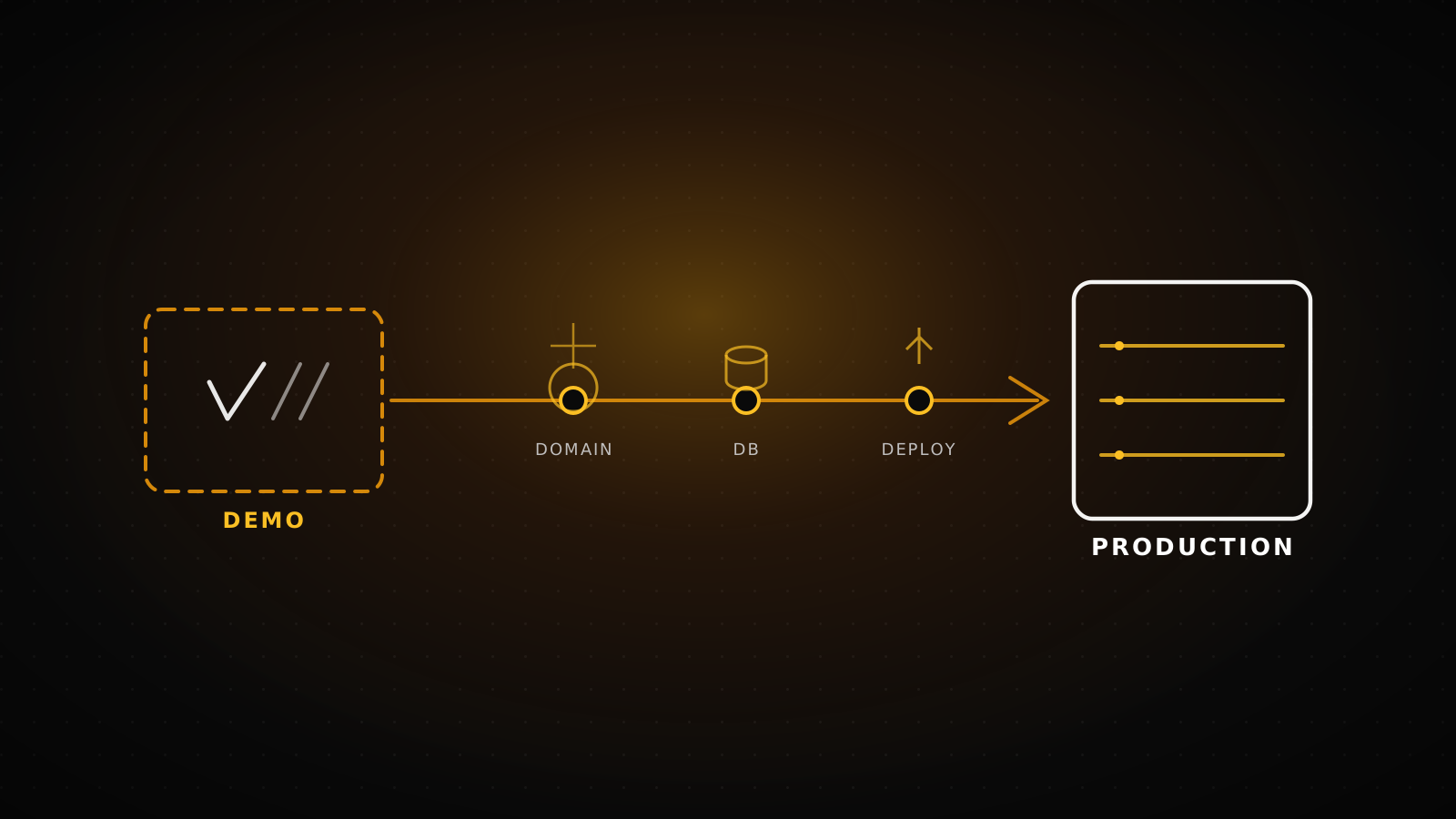
Taking an app built with Lovable, Bolt, v0, Cursor, or Replit to production runs through six separate jobs: pointing your domain at your own account, splitting environment variables across the right environments, moving off the tool's demo database onto a real one, putting backups on a schedule, turning on monitoring and alerts, and routing every deploy through a staging gate. Security is not on this list. RLS policies, leaked keys, and webhook signatures live in our own security checklist. This guide picks up everything else: what's left once the demo stops being a demo.
TL;DR
Six jobs, in order: move the domain, split your env vars by environment, migrate off the demo database, put backups on a calendar, turn on monitoring, and run every deploy through a staging step before it reaches users. Each section below names the exact move. Security is a separate piece - see the checklist linked at the end.
Most "ship your AI app" content stops at the first deploy button. It doesn't say what happens six weeks later when the free database tier runs out of connections, or when a bad commit goes straight to production because there was never a staging step to catch it. This guide is written for the app that already works in the demo and now needs to survive real users, real traffic, and real failure.
Domain and DNS: moving off the builder's subdomain onto your own account
Lovable, Bolt, and similar tools publish to their own subdomain by default. Moving to your own domain means pointing DNS at whatever you deploy to, commonly Vercel once the code is exported. For an apex domain (example.com), that's an A record; for a subdomain (www.example.com), a CNAME. Vercel's dashboard shows the exact value for your project on the Domains page, and automatically issues and renews the SSL certificate once the record resolves correctly.
One thing gets missed every time: if you're moving nameservers rather than just the A/CNAME record, copy your existing MX records first. Switching nameservers without carrying them over kills inbound email on that domain with no warning until someone asks why a form submission never arrived.
Measured
Command: curl -s -o /dev/null -D - https://lumiasoft.com/
Ran against our own production domain. Response: strict-transport-security: max-age=63072000 and server: Vercel, with no manual certificate setup on our side. That's what a correctly propagated domain looks like once it's live - the SSL and HSTS header come from the platform, not from anything we configured by hand.
Environment variables: from a single .env file to real secret management
Vibe coding tools write every key - public and private - into one .env file, because inside their own sandbox there's no meaningful difference. On a real host that difference matters. Vercel splits variables into Config (readable by anyone with project access) and Secret (write-only after saving), and scopes each one to Production, Preview, or Development independently. A key used only server-side never needs to carry the NEXT_PUBLIC_ prefix - adding it ships that value straight into the browser bundle.
There's a hard ceiling too: Vercel caps environment variables at 64 KB total per deployment, with no single variable over that size, and Edge runtime or Middleware variables are capped tighter, at 5 KB each. A vibe-coded app rarely gets close to that, but it's worth knowing before you paste a long certificate or JWT into one.
Measured: our own production codebase
Command: grep -rohE "process\.env\.[A-Z0-9_]+" src | sort -u, run against this site's own repo.
10
NEXT_PUBLIC_ variables - ship to the browser on purpose
26
server-only secrets: API keys, SMTP, admin sessions, webhooks
Roughly 1:2.6 - every variable meant for the browser sits next to two and a half that must never reach it. A vibe coding tool's single .env file makes that split invisible. A real host forces you to make it explicit.
From the demo database to a production one
Lovable and Bolt typically provision a Supabase project under their own umbrella, meant to prove the idea works, not to carry production load or outlive your subscription to the tool. Moving to a database you own means exporting your schema and data, standing up your own Supabase (or plain Postgres) project, and swapping every connection string before you point real traffic at it. Re-run your RLS tests after the move - a policy that worked on the old project doesn't carry over automatically, and we cover exactly how to test that in the security checklist linked below.
One detail that catches people after the move: Supabase's own guidance for serverless functions is to cap the connection pool at a single connection per function instance, since the function is invoked fresh on every request and a default client pool size of 10 can exhaust the database's connection limit fast under concurrent traffic. It's a one-line config change, but it's invisible until the app is live and traffic is real.
Backups: a calendar item, not a one-time setting
Supabase's Free tier has no automatic backup service: you're expected to run supabase db dump yourself and store the result somewhere off-platform. Point-in-time recovery isn't available there either. Paid tiers add automatic daily backups, and PITR as a paid add-on on top of that.
PITR pricing runs from roughly $100/month for a 7-day recovery window up to around $400/month for 28 days, and it needs at least a Small compute add-on under it to run correctly. None of this is useful unless someone actually restores a backup before launch day, not after.
Monitoring and alerts: who finds out, and how fast
This is different from the error-tracking test in our security checklist, which asks you to trigger one error and confirm it shows up somewhere. This section is about the ongoing practice: an uptime check hitting your production URL on a schedule, a dashboard that shows error rate over time rather than a single event, and an alert that reaches an actual person, not just a log line nobody reads. Vercel supports OpenTelemetry tracing out of the box, so your function traces can flow into whatever APM tool you already use instead of living only in the Vercel dashboard.
Decide the alert threshold and who owns it before launch, not during the first incident. "Someone will notice" is not a monitoring plan.
Deploy pipeline: how many steps between a commit and production
A vibe coding tool's deploy button goes straight to production. Once you're hosting the app yourself, every commit should pass through a preview deployment first, then a staging check, before it reaches real users.
The rollback step matters more than the pipeline itself. On Vercel, the previous production deployment stays available to promote back instantly if the new one breaks something - keep that option in mind before you ever need it.
Scale limits: where the free plan actually runs out
A few numbers worth knowing before traffic grows past what the demo ever saw. Vercel Functions on Hobby and Pro auto-scale concurrency up to 30,000 simultaneous executions, and Enterprise beyond 100,000. Functions idle for two weeks in production (48 hours in preview) get archived and need roughly a second longer to cold-start on their next invocation. And with fluid compute now the default, function duration limits sit higher than most people assume: 300 seconds by default and max on Hobby, up to 800 seconds on Pro and Enterprise, with a 1800-second beta tier available - a different picture than the old 10-second ceiling many still plan around.
On the database side, the real limit usually isn't CPU, it's connections: a Supabase free project's pooler runs out of headroom quickly once more than a handful of serverless functions hit it concurrently, which is exactly why the pool-size-of-1 setting from the database section above matters in practice, not just on paper.
When this roadmap isn't enough
This covers the operational path, not the whole job. It doesn't replace a real architecture review if the app needs to handle meaningfully more traffic than it does today, and it doesn't replace the security checklist's eight items - both lists matter, and neither substitutes for the other. If you've worked through all six jobs here and the app is still falling over, or the team doing it doesn't have the bandwidth to own this ongoing, that's a different conversation: our AI project completion service exists exactly for taking over from this point.
If you haven't run the security side of this yet, start with our vibe coding security checklist, or move through the same eight questions faster with our launch-readiness check. If the project is still sitting inside the builder's own export and hasn't moved to your own repo yet, our export guide is the step before this one.
If the critical items on either list are still open and your team can't close them alone, our AI project completion service picks up exactly where this roadmap ends.
Frequently asked questions
Do I need to do this all at once?
No. Domain and environment variables come first since nothing else works without them. Database migration and backups come next. Monitoring and the deploy pipeline can follow once the app is stable on its new infrastructure.
Is this different depending on which tool built the app?
The specifics vary: Lovable and Bolt lean on Supabase, Replit has its own hosting model, v0 projects usually deploy straight to Vercel already. The six jobs stay the same regardless of which tool wrote the code.
Does moving to my own database cost more than staying on the builder's plan?
Usually, yes, but it's the cost of owning your own data and not being tied to the builder's subscription or its limits. A free-tier Supabase or Vercel project covers most early-stage traffic before any of this becomes a real expense.
What's the single most-skipped step here?
Backups. Confirming one exists is easy. Nobody tests a real restore until the moment they need it to work, which is exactly the wrong time to find out it doesn't.
Where does security fit into this timeline?
Run the security checklist before this roadmap, not after - a production-ready deploy pipeline shipping an app with an open RLS policy just gets the hole into production faster.