

Staffday
Staff schedule, hours & pay
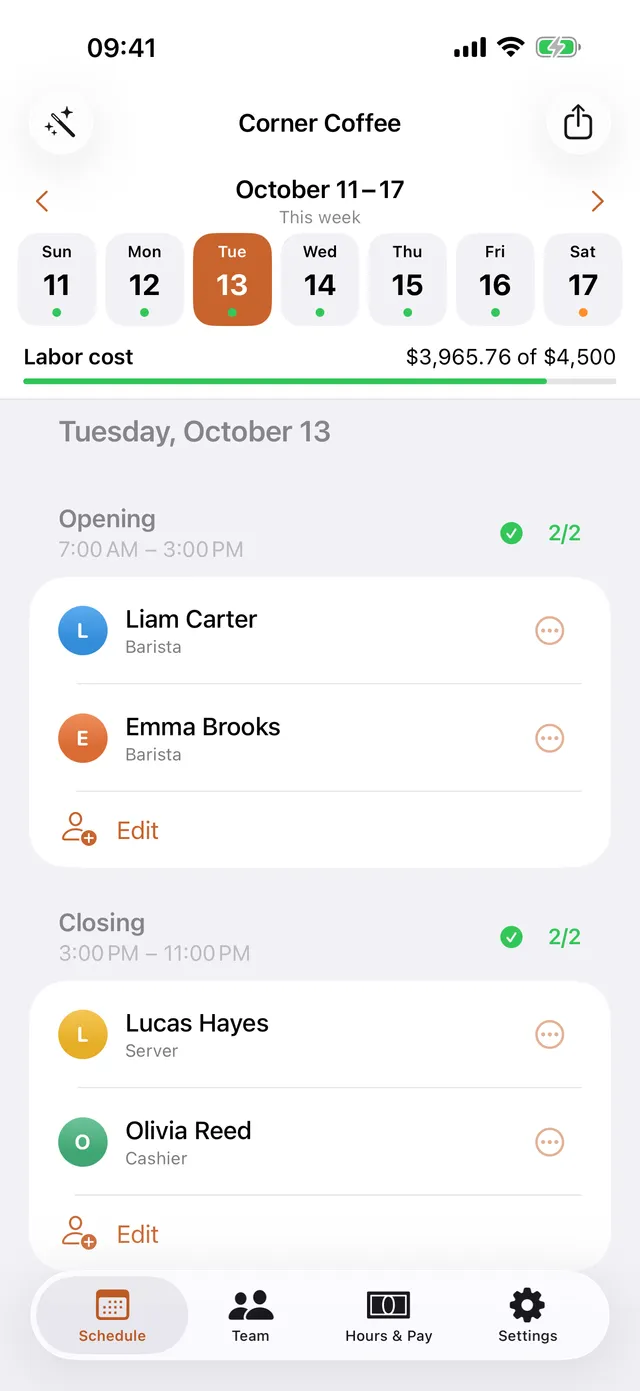
Build the weekly schedule and send it to your team over WhatsApp or Messages. Staffday keeps track of time off, hours worked, overtime and pay for you.
What it does
Staffday doesn't collect any personal data. Everything you enter stays on your device.
Privacy policyFree
Scheduling, sharing, attendance and hour reports are free for up to 5 employees.
Staffday Pro
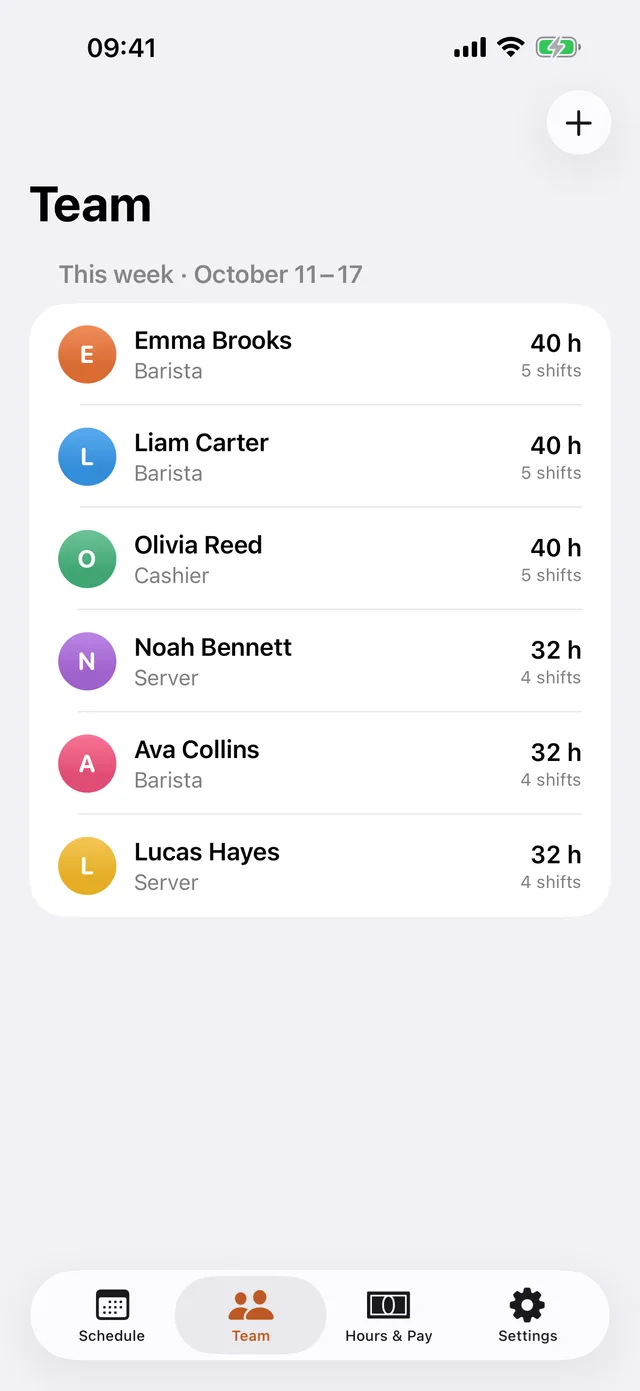
Staffday Pro adds unlimited staff, auto fill, paid tracking, CSV export and the weekly labour budget.
FAQ
Do my employees need to install the app?
No. You build the schedule and send it to them as an image or text through WhatsApp, Messages or any app you like.
Where is my data stored?
Only on your device. Nothing is sent to a server and there is no account to create.
How does auto-fill work?
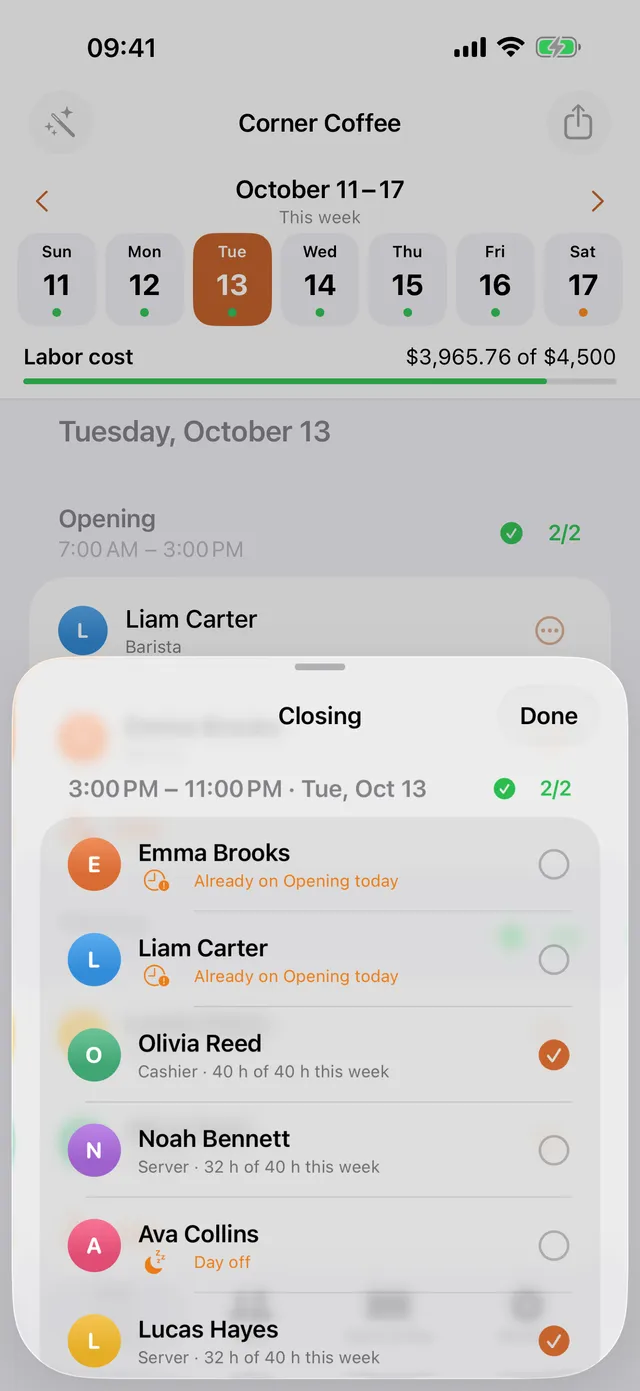
It fills open shifts while respecting regular days off, vacation and sick leave, weekly hour limits and one shift per person per day. People with the fewest hours that week come first. You can change anything afterwards.
How are hours and pay calculated?
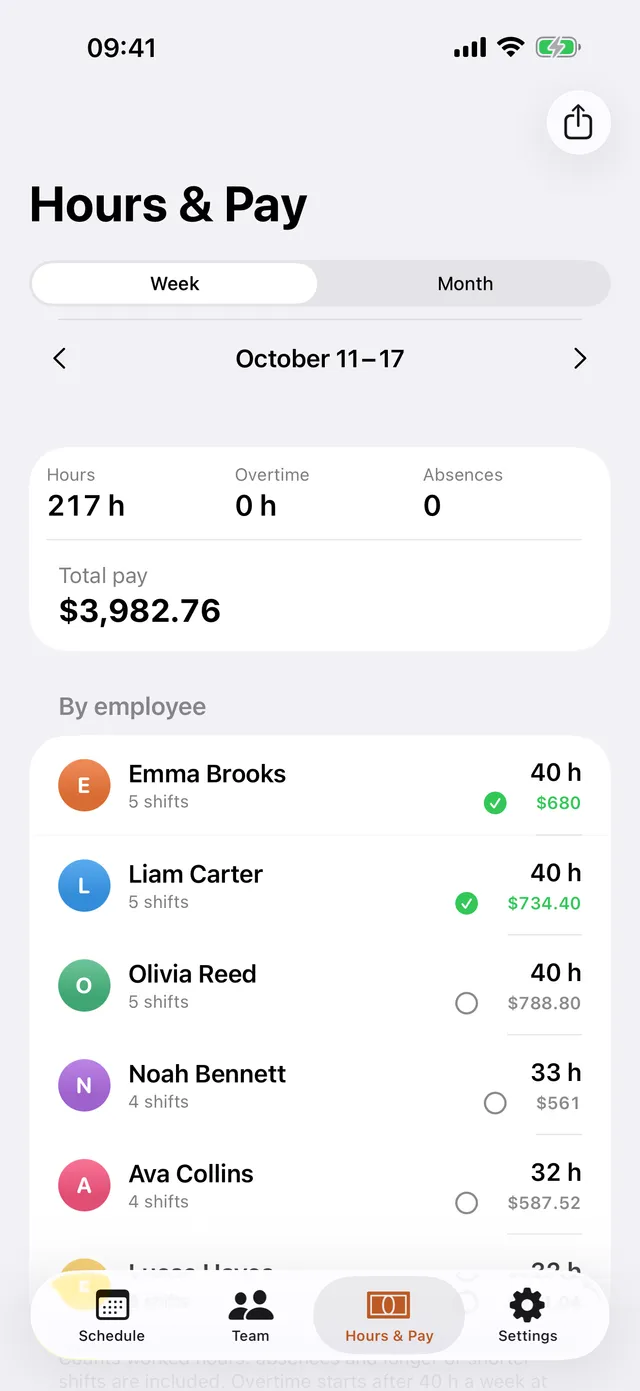
From worked hours: if someone didn't show up, stayed longer or left early, mark it on the shift and reports update. Overtime is counted per week after the threshold you set (40 hours by default) at your overtime rate.
What's free and what's Pro?
Scheduling for up to 5 employees, sharing, attendance, time off, "Who can cover?" and hours reports are free. Staffday Pro adds unlimited employees, auto-fill, copy last week, payroll with paid tracking and CSV export, and the weekly labor budget.
How do I cancel my subscription?
On your iPhone, open Settings > Apple Account > Subscriptions, choose Staffday Pro and cancel. Pro stays active until the end of the period you paid for.
I got a new phone. How do I get Pro back?
Open Staffday > Settings > Restore purchases.
Contact us
Questions, ideas or a problem? Send us an email and we'll get back to you.
hello@lumiasoft.comMade by Lumiasoft