
Trendyol and Hepsiburada integration errors: root causes and permanent fixes
A barcode that won't match, a category that gets rejected, a stock push that bounces off a rate limit. Each has an official HTTP code, one root cause, and a fix that actually holds.
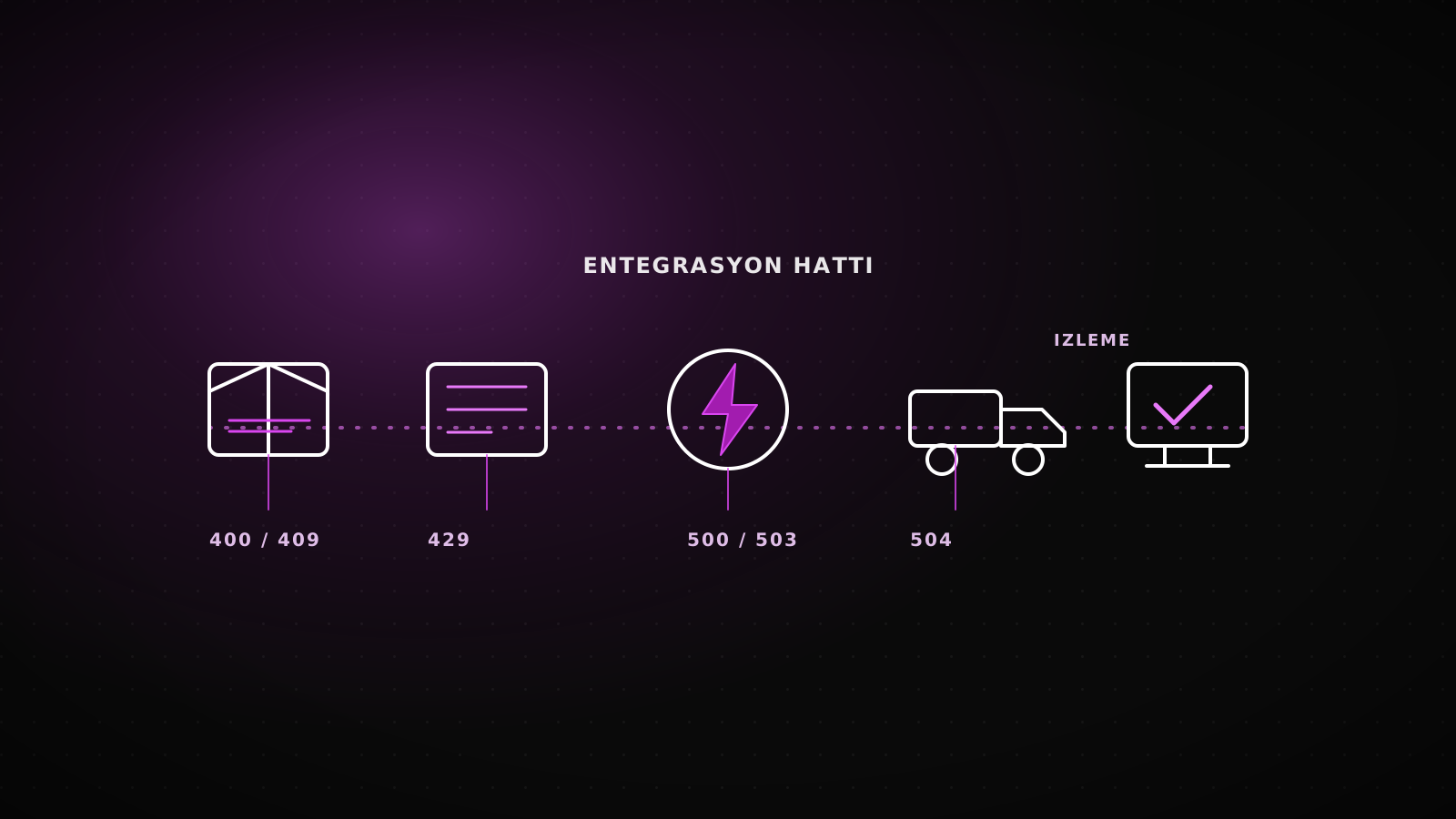
When a Trendyol or Hepsiburada integration throws an error, the problem is rarely the API itself. A barcode won't match, a category gets rejected, a stock update bounces off a rate limit, an order webhook never arrives, or cargo information never makes it back to the marketplace. Each of these carries an official HTTP code, one root cause, and a fix that holds, not a workaround that comes back next week.
TL;DRTrendyol documents its error codes officially: 400/409 for product and category rejections, 429 for bulk-update rate limits, 500/502/503 for temporary server failures, 504 for timeouts. None of these get fixed by switching integrator brands. They get fixed by correcting the one step in the pipeline that triggers them, and by checkinggetBatchRequestResultafter every batch instead of assuming a 200 response means the catalog actually updated.
Five error classes and their official codes
Trendyol's own error-code documentation (developers.trendyol.com/docs/hata-kodlari) defines the HTTP layer precisely. What it doesn't do is tell you which pipeline step throws which code in practice, which is the part a support ticket usually costs you a day to learn:
| Error class | Official code | Root cause | Permanent fix |
|---|---|---|---|
| Barcode / product code mismatch | 400 Bad Request | ERP and marketplace use different barcode or variant coding | One SKU-to-barcode mapping table, validated before submission |
| Category / attribute rejection | 400 / 409 Conflict | Category tree changed, a required attribute is missing | Re-sync getCategoryTree on a schedule, validate required fields locally |
| Bulk stock/price update rejected | 429 Too Many Requests | Whole catalog pushed in one batch, rate limit exceeded | Diff-based batches, getBatchRequestResult to confirm each row landed |
| Order webhook delivery failure | 500 / 502 / 503 | Temporary Trendyol-side fault or a slow webhook endpoint | Retry queue, 3 attempts plus dead letter, idempotency keys |
| Cargo info never reaches the marketplace | 504 Gateway Timeout | updateBoxInfo and the cargo code sent in one slow request | Cargo notification as its own retried step, decoupled from status update |
Why the barcode or product code won't match
Your ERP has its own barcode or SKU standard. Trendyol requires its own barcode field per variant, and the moment the two diverge on color or size, the submission comes back as 400 Bad Request or the listing stays silently inactive. The fix is not a one-time cleanup: it's a single mapping table between the ERP's SKU and the marketplace's barcode, and a rule that no new variant ships until it's in that table.
Category and attribute rejection: what 400 and 409 actually mean
Trendyol updates its category tree (getCategoryTree) regularly. When a category ID moves or a new required attribute is added, a product submitted against the old schema stops being accepted. 409 Resource Conflict means the resource isn't in the state the request expects; a missing field comes back as plain 400. The permanent fix is re-pulling the category tree on a schedule and validating the required-attribute list locally before the request ever leaves your system, not after Trendyol rejects it.
Why bulk stock and price updates bounce off a 429
Pushing the entire catalog in a single batch exceeds the rate limit Trendyol enforces, and the response comes back as 429 Too Many Requests. The fix is a diff-based batch that only sends changed SKUs, event-based pushes for the highest-velocity items instead of waiting for the schedule, and calling getBatchRequestResult after every batch. A 200 response means the request was accepted, not that every row updated; that distinction is exactly what a retry loop without a results check misses.
Order webhooks that never arrive, cargo info that never returns
Order webhooks (order.created, order.cancelled) can fail on Trendyol's side with a temporary 500, 502, or 503. Treat that as a one-shot delivery and the order simply never shows up in your system. On the cargo side, sending updateBoxInfo and the cargo code in one slow request returns 504 Gateway Timeout, the package never reaches "shipped" status in the marketplace, and the seller carries the risk of a late-shipment penalty. The permanent fix: every webhook goes through a retry queue with 3 attempts and a dead letter, and cargo notification runs as its own retried step, never bundled into the order-status update that's already racing a timeout.
Off-the-shelf integrator or a custom integration
A ready-made integrator works when the catalog is simple and Trendyol is the only channel; the stock-sync path we've documented before covers exactly where that stops being true. Once Hepsiburada joins the stack, or the ERP's schema doesn't match the standard template, visibility into these five error classes becomes the deciding factor:
| Criteria | Off-the-shelf integrator | Custom integration |
|---|---|---|
| Setup time | Days | 1-2 weeks |
| Error visibility | Limited to the integrator's own panel | Your own dashboard, full detail per SKU |
| Multi-marketplace support | Usually available, constrained to the template | Trendyol, Hepsiburada, and whatever comes next |
| Fit with a non-standard ERP | Mapped to the integrator's own schema | Built against your ERP's actual structure |
The permanent fix: monitoring with getBatchRequestResult
Trendyol's batch-control service, getBatchRequestResult, returns a per-row verdict for every product, stock, or price submission: accepted or rejected, with the reason. Without pulling this after every batch, an integration can look like it's working while it silently rejects products for days. The same dashboard logic we built for stock sync applies here: last successful check per SKU, count of rejected rows, the exact error message, checked automatically, not discovered from a seller-score drop two weeks later.
When an integrator is still enough
If there's one channel, the catalog is small, and volume is low, a ready-made integrator's standard error reporting is usually enough; a custom integration at that scale costs more than the errors it prevents. The decision point is the moment a second marketplace, a non-standard ERP, or the same error class recurring weekly enters the picture.
When that's the case, the fix isn't switching integrator brands, it's closing the root cause the error keeps pointing at. Lumiasoft's Trendyol integration work diagnoses that cause first and closes it second.
FAQ
Why does the same Trendyol integration error keep coming back? Because the root cause wasn't closed. A 429 or 504 looks temporary, but underneath it is usually a batch sent without a diff, or a single request doing two jobs at once with no margin before the timeout.
Do the same error classes apply to Hepsiburada? Yes. The API schema differs, but barcode mismatches, category/attribute rejections, rate limits, and cargo-notification delays fall into the same four classes on both marketplaces.
Will a free integrator fix these errors? For one channel and a simple catalog, usually yes. The moment a second marketplace or a non-standard ERP is added, error visibility stays limited to whatever the integrator's own panel shows.
How long does a permanent fix take? It depends on the error class. Closing one root cause takes days; a monitoring setup covering the whole pipeline runs 1-2 weeks.